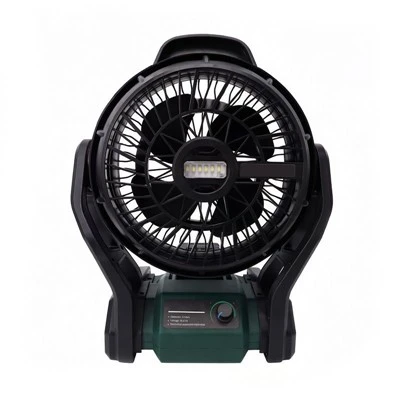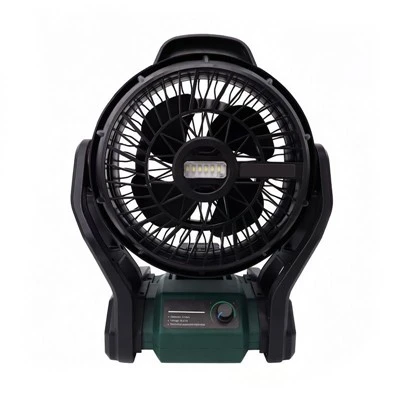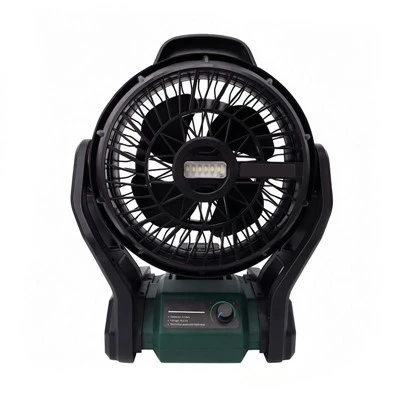


Hey there! As a supplier of Outdoor Patio Corner Fans, I've seen my fair share of fans that stop working. It can be super frustrating, especially when you're looking forward to some cool breeze on your patio. But don't worry, I'm here to walk you through some troubleshooting steps to get your fan up and running again.
Step 1: Check the Power Source
The first thing you gotta do is make sure your fan is getting power. Sounds simple, right? But you'd be surprised how often this is the root cause.
- Plug it in properly: If your fan is electric, check the plug. Make sure it's securely plugged into the outlet. Sometimes, the plug can come loose over time, especially if there's a bit of movement around the area. Give it a little wiggle and see if the fan starts working.
- Test the outlet: Use a different device, like a lamp, to see if the outlet is working. If the lamp doesn't turn on, then you might have an issue with the outlet itself. You may need to call an electrician to fix it.
- Battery check: If your fan runs on batteries, open the battery compartment and check the batteries. Make sure they're inserted correctly, with the positive and negative ends in the right place. Also, check if the batteries are dead. You can try replacing them with new ones to see if that solves the problem.
Step 2: Inspect the Fan Blades
The fan blades play a crucial role in moving air. If they're not working properly, the fan won't either.
- Look for damage: Check the fan blades for any signs of cracks, chips, or bends. Even a small bend can throw off the balance of the fan and cause it to stop working. If you find any damaged blades, you may need to replace them. You can usually find replacement blades on our website.
- Clean the blades: Over time, dust and dirt can build up on the fan blades, making them heavy and reducing their efficiency. Use a soft cloth or a brush to gently clean the blades. Make sure to get into all the nooks and crannies. You can also use a can of compressed air to blow out any stubborn dust.
Step 3: Examine the Motor
The motor is the heart of the fan, and if it's not working, the fan won't spin.
- Listen for strange noises: Turn on the fan and listen carefully. If you hear any grinding, rattling, or buzzing noises, it could be a sign that the motor is having problems. This could be due to a lack of lubrication, a worn-out bearing, or a damaged motor. If you suspect a motor issue, it's best to contact a professional for repair.
- Check the motor housing: Look at the motor housing for any signs of damage, such as cracks or overheating. If the motor housing is hot to the touch, it could be a sign that the motor is overworking. This could be caused by a blocked air intake or a problem with the electrical wiring.
Step 4: Check the Control Settings
Sometimes, the problem could be as simple as a wrong control setting.
- Verify the speed settings: Make sure the fan is set to the correct speed. Some fans have multiple speed settings, and if it's set to the lowest speed, it may not seem like it's working properly. Try adjusting the speed to a higher setting and see if the fan starts spinning faster.
- Check the timer function: If your fan has a timer function, make sure it's not set to turn off. Sometimes, you may accidentally set the timer and forget about it.
Step 5: Look for Obstructions
The fan needs a clear path to move air. If there's something blocking the fan, it won't work properly.


- Check the area around the fan: Look for any objects that may be blocking the fan blades or the air intake. This could include furniture, plants, or even debris. Move any obstructions out of the way and see if the fan starts working.
- Inspect the fan grille: The fan grille is designed to protect the fan blades, but it can also get clogged with dust and dirt. Remove the grille and clean it thoroughly. Make sure there are no small objects stuck in the grille that could be blocking the airflow.
Other Types of Outdoor Fans
If you're still having trouble with your outdoor patio corner fan, or if you're looking for a different type of outdoor fan, we have a variety of options available. Check out our Fishing Fan, Lithium Rechargeable Fan, Camping Cooler Fan, Portable Fan Lithium Battery, and Outdoor Portable Cooling Fans. These fans are designed for different outdoor activities and can provide you with the cooling you need.
Contact Us for Purchase and Troubleshooting
If you've tried all the troubleshooting steps and your fan still isn't working, or if you're interested in purchasing a new outdoor fan, feel free to reach out to us. We have a team of experts who can help you with any questions or concerns you may have. Whether you need advice on which fan is right for you or assistance with fixing a problem, we're here to help.
References
- General knowledge of outdoor fan repair and maintenance.
- Experience as a supplier of Outdoor Patio Corner Fans.